Turn any song into a stunning chord chart
Every chord in the right place — then press play and perform it hands-free.
Free to start · No credit card · Ready in 30 seconds
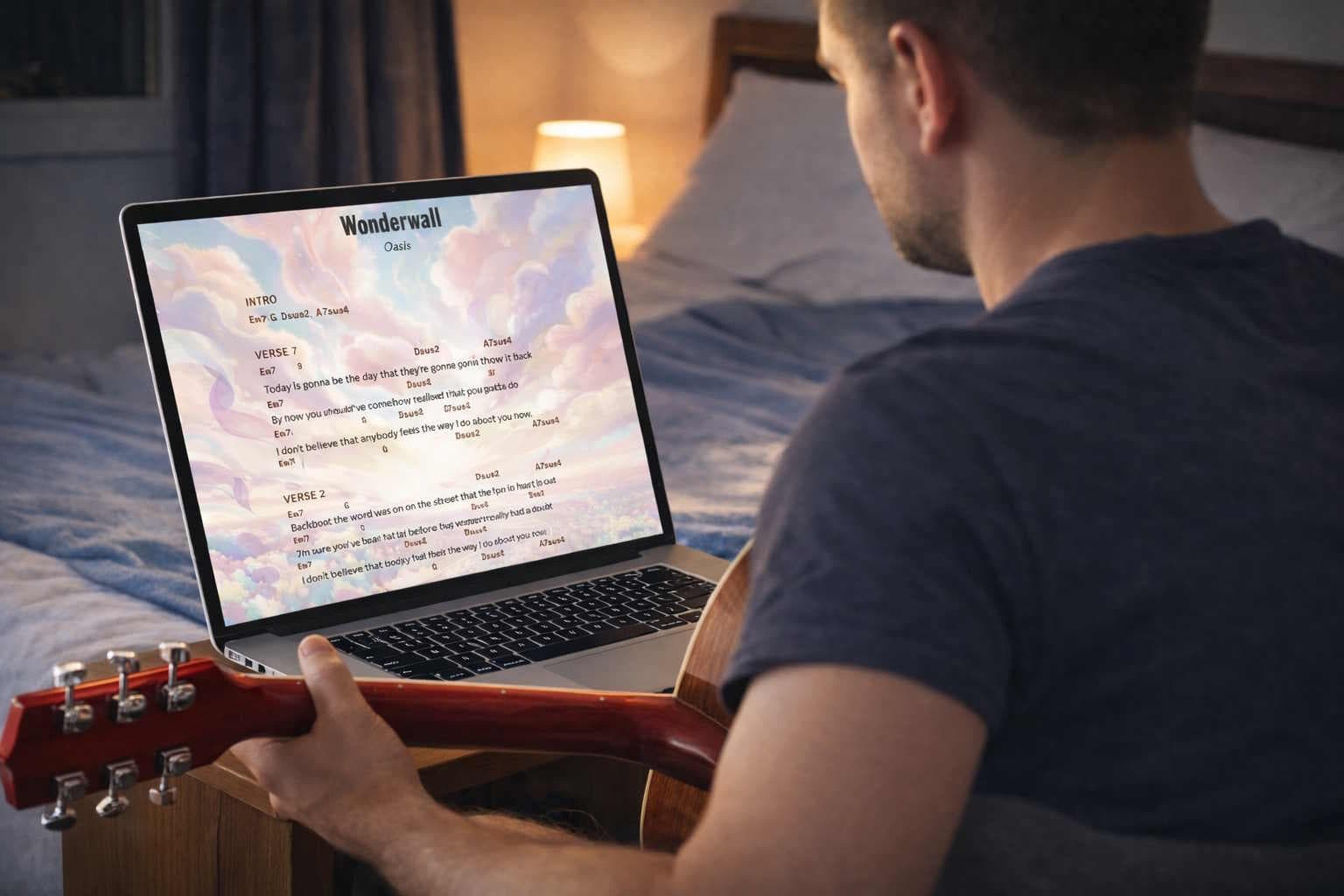
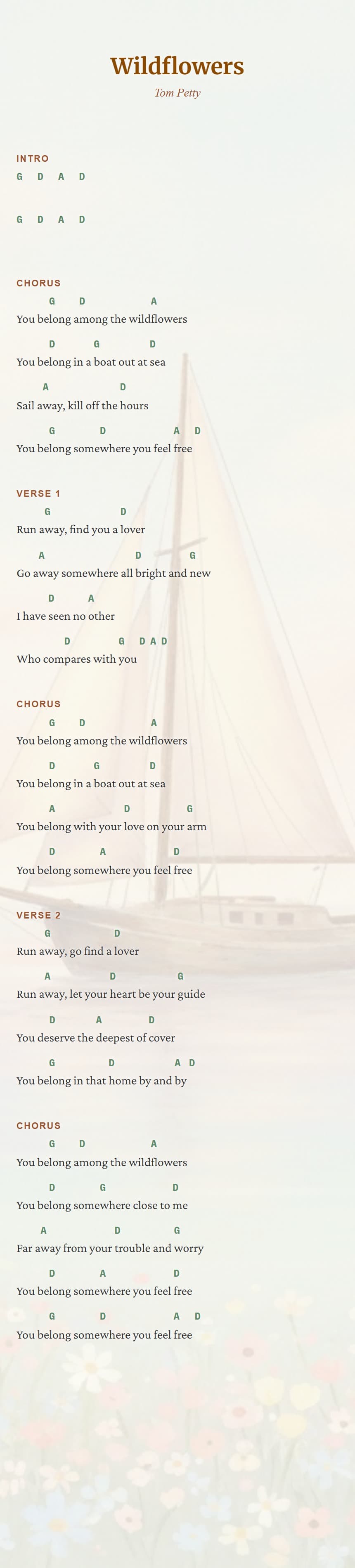
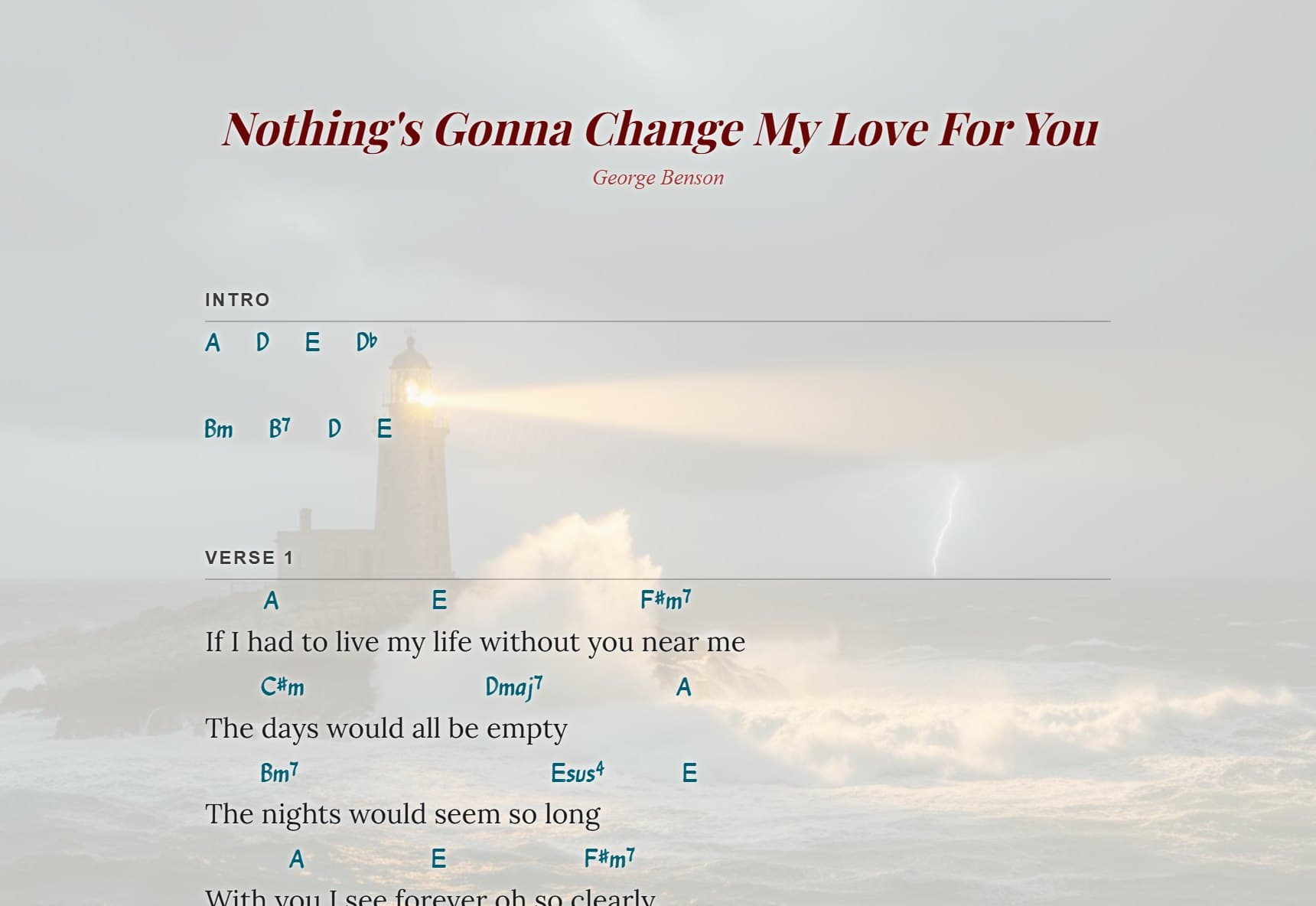
Auto-scroll in action — hands-free play mode, exactly as it looks when you play
Find or import your song
Search any title with AI, snap a photo of a paper sheet, or paste from any site.
Make it yours
Style it with AI backgrounds and fonts, drag chords into place, transpose to your key.
Press play and perform
The chart scrolls hands-free at your pace — then file it into a setlist or collection for next time.
Your sheets can look like this
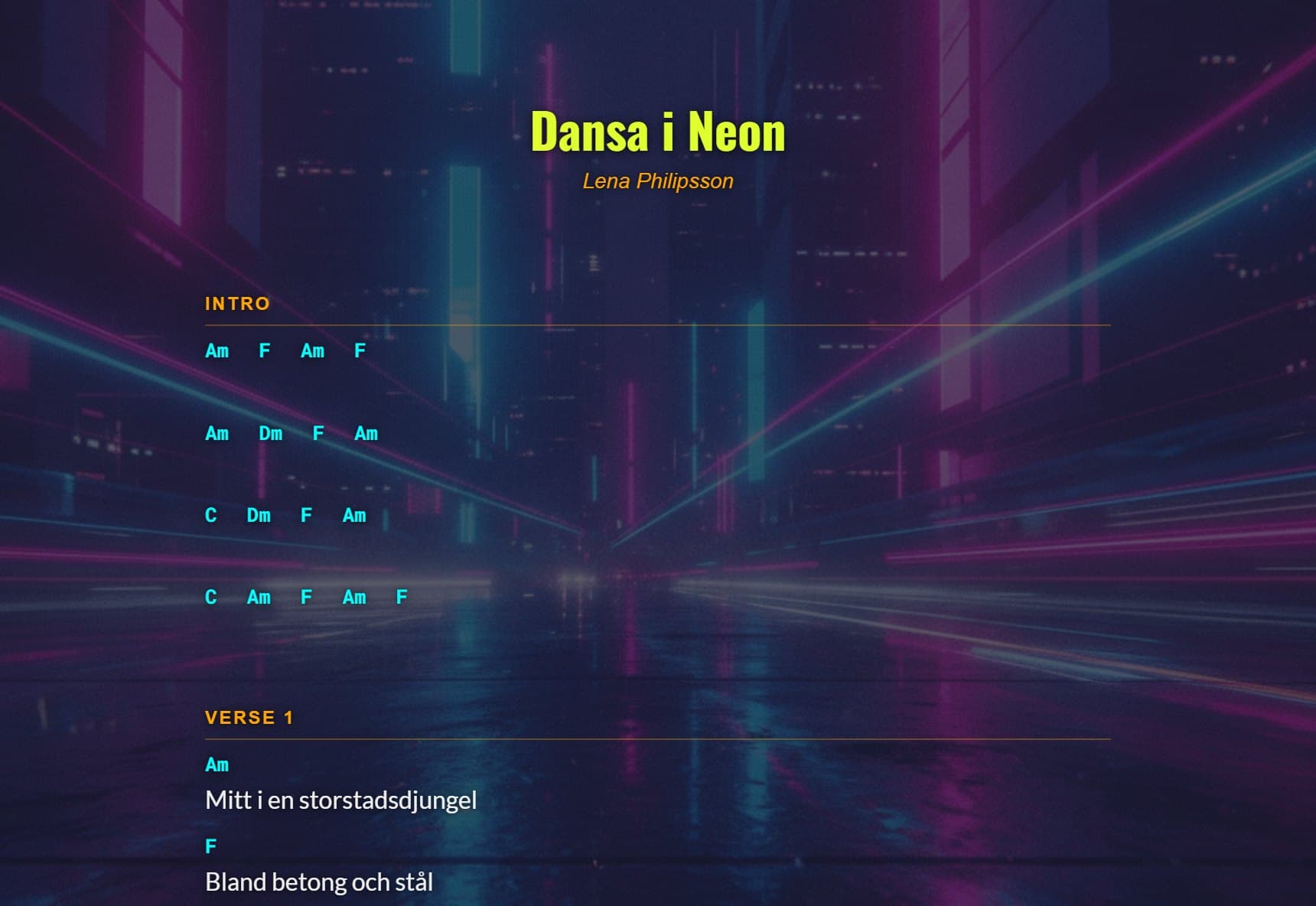
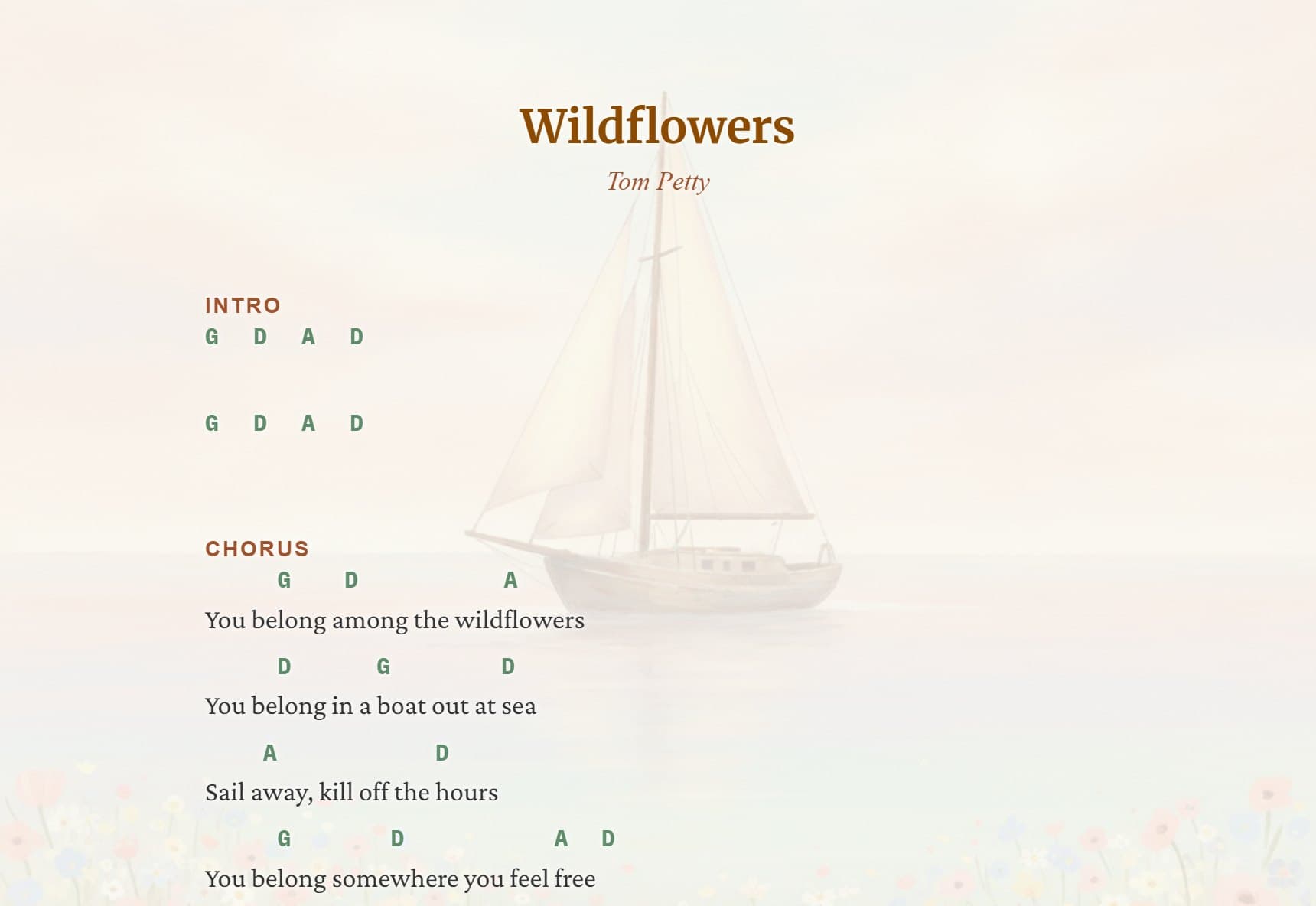
Three real charts, styled in minutes with AI backgrounds and fonts — no design skills needed. Open one, press play, feel the auto-scroll — then make your own just like them.
Everything you need to play
Focus on the music, not the formatting.
Find any song with AI
Type a song name and artist — AI returns a clean chord chart with the chords sitting right above the lyrics, in seconds.
Snap a photo
Photograph a handwritten or printed chord sheet — AI reads it and turns it into a fully editable chart. Old notebooks welcome.
Paste from any site
Copy lyrics and chords from anywhere on the web and paste them in — AI cleans up the formatting into a proper chart automatically.
Fix alignment by dragging
Grab any chord and drop it above the exact syllable where the change lands. What you build is what you play — no fiddly spacing.
Transpose to your key
Move the whole chart up or down with one tap to fit your singer's range. Every chord updates instantly — no capo math.
Hands-free auto-scroll
Hit play and the chart scrolls at your pace — large, readable text on phone, tablet or laptop. On the sofa or mid-gig, keep both hands on your instrument.
Setlists & collections
Group songs into setlists for gigs, or collections for practicing at home — drag them into the order you want to play.
One-tap PDF export
Export a clean, print-ready PDF with every chord still perfectly aligned — for the music stand, the folder, or the rest of the band.
Share & sync
Send a link anyone can open and play, auto-scroll included — no account needed. Your own library stays synced across all your devices.
Go from this to this — in 30 seconds
Snap a photo of any handwritten chord sheet. AI reads it and turns it into a polished, play-ready version — instantly.
Your photo
ChordSheetMaker output
ChordSheetMaker has made playing at home much easier for me. I have loads of little songs in old notebooks, and now I can just take a photo and turn them into chord sheets instead of typing everything out.My handwriting is a bit messy so I sometimes need to fix a few things, but it's still way quicker. I also like adding backgrounds and fonts, probably more than I should. Then I put it on my tablet, change the key if needed, and just play.
Plans & pricing
Start free. Upgrade when you're ready.
Every plan includes AI song search, photo import, AI backgrounds & fonts, and setlists & collections.
Free
No credit card required
- ✓Up to 5 songs
- ✓Chord transposition
- —PDF export
- —Public song sharing
- ✓Setlists & collections
- —Priority support
Monthly
Billed monthly
- ✓Unlimited songs
- ✓Chord transposition
- ✓PDF export
- ✓Public song sharing
- ✓Setlists & collections
7 days free · then $9/mo · cancel anytime
Yearly
≈ $6.60/month, billed yearly
- ✓Unlimited songs
- ✓Chord transposition
- ✓PDF export
- ✓Public song sharing
- ✓Setlists & collections
- ✓Priority support
7 days free · then $79/yr · cancel anytime
Secure payments via Stripe · Cancel anytime · No hidden fees
Common questions
Do I need an account to try it?
No — you can build charts right away and they're saved on your device. Create a free account (one click with Google or email) when you want your songs synced across devices.
What happens after the 7-day free trial?
The trial converts to your chosen plan unless you cancel — and you can cancel anytime during the trial with one click, at no charge. If you drop back to the free plan you keep your five most recent songs.
Does it work on stage, on a tablet or phone?
Yes — ChordSheetMaker runs in any browser on any device. In play mode the chart auto-scrolls at your pace, text scales to your screen, and the screen stays awake so nothing interrupts the song.
Can I transpose songs to my key?
One tap moves the whole chart up or down a semitone — every chord updates instantly, no rewriting and no capo math. Transposition is free for everyone.
Can I import chord sheets I already have?
Yes. Paste text from anywhere, or snap a photo of a printed or handwritten sheet — AI reads it and turns it into a clean, editable chart in seconds.
Can I organise songs into setlists?
Yes — group songs into folders: setlists for gigs, or collections like 'Campfire' or 'Sunday practice' for playing at home. Drag songs in and put them in the order you want to play them.
Can my bandmates use a chart without an account?
Yes — send them a share link and it opens right in the browser, ready to play with auto-scroll. No account needed. A singer can even hide the chords and see just the lyrics.
Is my music private?
Completely. Your songs are visible only to you. If you want to share a chart with your band, you create a share link explicitly — nothing is ever public by default.
Your songs deserve
a better home.
Build, transpose and play your chord charts — on any device, at home or on stage.
Free to start · No credit card · Works on any device